Picking a host is one of those decisions that feels boring until it goes wrong. Then it becomes the only thing you think about. This guide walks through what actually matters when you compare providers, so you end up with something that runs your stuff well and does not surprise you in month three.
The trap most people fall into is sorting by price and clicking the cheapest option. Price matters, of course. But the cheapest plan is often cheap for a reason, and that reason usually shows up later as lag, downtime, or a support ticket nobody answers. Let's go through the things worth checking first.
Look at the real specs, not the sticker price
A plan that says "8 GB RAM" for a few dollars sounds great until you ask what the rest of the machine looks like. Two plans with the same RAM number can perform completely differently. Here's what to actually compare.
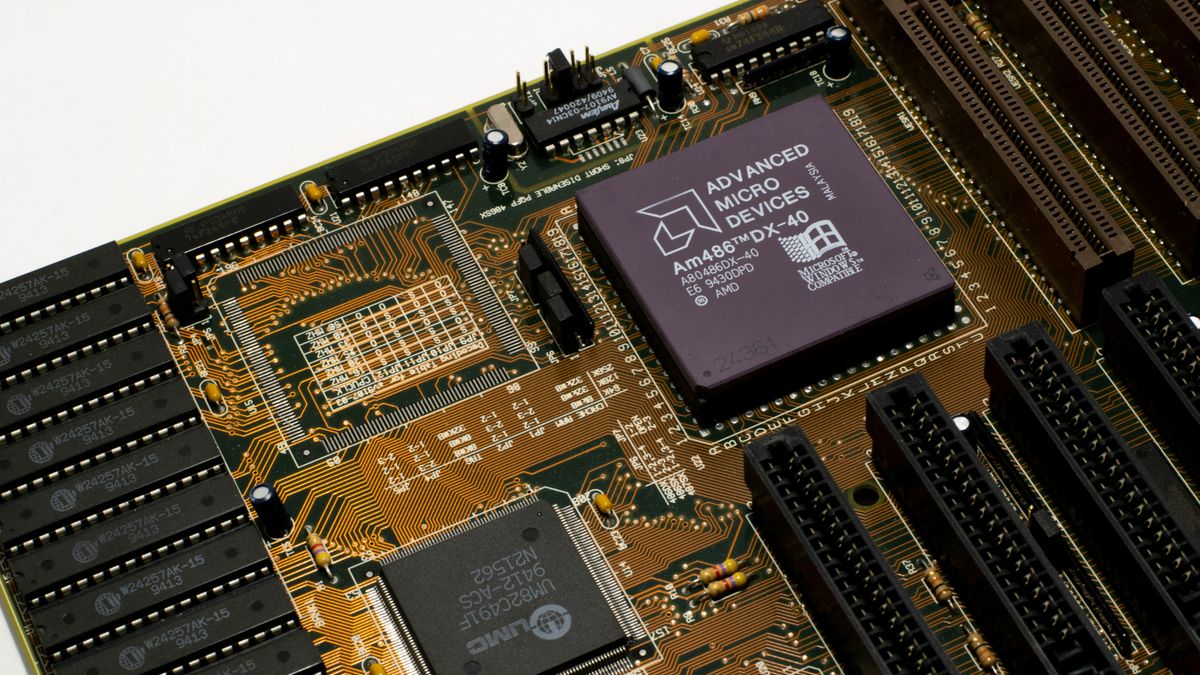
- CPU. For game servers especially, single thread speed matters a lot. Minecraft and Rust lean hard on one core, so a fast modern CPU beats a pile of slow cores. Ask what processor the nodes run on, or at least the generation.
- RAM, and whether it's shared. Some hosts oversell. They sell more RAM across a node than the node physically has, betting nobody uses their full amount at once. That works fine until everyone is busy on a Saturday night.
- Storage type. NVMe is noticeably quicker than older SATA SSDs for the small reads and writes a game world or a busy database does all day. If a host still runs spinning hard drives in 2026, that tells you something.
- Network port speed. A 1 Gbps port is plenty for most people. It's worth a quick check anyway.
If a provider hides all of this and only shows you a price and a RAM figure, that's a small red flag on its own. Good hosts are usually happy to tell you what hardware you're getting.
Watch out for "unlimited"
Unlimited storage, unlimited bandwidth, unlimited everything. You'll see this a lot, mostly on cheap web hosting. There's no such thing as unlimited hardware. What it really means is "we won't put a number on it, but we'll quietly cut you off or throttle you if you actually use a lot." Read the fine print and you'll usually find a fair use clause that defines the real limit. A host that gives you honest numbers is being more straight with you than one that promises the moon.
Location and network quality
Where the server physically sits decides how much ping your players or visitors get. Data travels fast but not instantly, so distance turns directly into latency. A player in Germany connecting to a server in Texas will feel it.
So before you buy, figure out where most of your people are. If your Discord community is mostly European, a server in Frankfurt or somewhere nearby will feel much smoother than one in the US, even if the US plan is a little cheaper. Pick the region that matches your crowd, not the one closest to you personally.
Raw distance is not the whole story though. Network quality and routing matter too. A host with good peering and a well connected data center can give lower real world ping than a host that is technically closer but routes your traffic through three extra hops. The only honest way to check is to test. Most decent providers let you ping their network or give you a test IP. Run a quick ping and a tracert (or mtr on Linux) from your own connection and see what the numbers look like before you commit.
DDoS protection and backups should come included
Game servers get attacked. Sometimes it's a rival community, sometimes it's a kid with a grudge and a cheap booter. It happens more than you'd think, and it rarely takes much to knock over an unprotected server. So DDoS protection should not be an expensive add-on. On a serious host it's just part of the deal.
Ask whether protection is always on and roughly what scale of attack it handles. You don't need exact figures, but "we filter attacks automatically at the network edge" is a much better answer than silence or a paid upsell.
Backups are the other thing people forget until the worst day. A corrupted world, a bad plugin update, or a fat fingered delete can wipe weeks of work in seconds. In our experience the people who lose a world are almost never the ones who got attacked. They're the ones who ran one risky command with no backup. So check whether the plan includes backup slots, how many, and whether you can trigger a backup yourself from the panel. Most of our plans here at Bytte.cloud include backup slots for exactly this reason, but whatever host you pick, make sure backups exist and you know how to restore one.
Test the support before you need it
You will need help eventually. Maybe at 11pm when something breaks. The quality of support is hard to see from a pricing page, so go test it yourself before you pay.
Here's a simple trick. Before buying, send the support channel a real question. Something like "does this plan let me install Fabric mods?" or "which region is lowest ping from London?" Then watch two things: how long they take, and whether the answer is a human who knew the product or a copy pasted script. A host that answers a pre-sale question quickly and clearly will probably answer your real problems the same way. One that takes three days to reply to someone trying to give them money is telling you what post-sale support looks like.
Also notice how support works. Some hosts use ticket systems, some use live chat, and a lot of game hosts (us included) run support through a Discord community where staff and other users both pitch in. None of these is wrong. Just make sure the style fits how you like to get help.
Uptime and a public status page
Every host claims great uptime. The number you'll see thrown around is 99.9 percent, which works out to roughly 43 minutes of downtime a month. That's a fine target and an honest one. Be a little suspicious of anyone promising 100 percent, because nothing is perfect and real hosts know it.
What tells you more than the marketing number is whether they have a public status page. A status page that logs incidents openly, including the messy ones, is a sign of a host that doesn't hide problems. Go look at their history. A page that shows a few incidents with clear explanations is far more trustworthy than a suspiciously spotless one or no page at all. Search around for recent reviews too, and weigh the patterns rather than one angry post.
A free tier or trial lets you test for real
The best way to judge a host is to run something on it. A free starter plan or a short trial means you can do that without spending anything. You get to feel the real latency, click around the control panel, and see how a server actually deploys instead of trusting screenshots.
This is honestly the single most useful filter. Spin up a small free server, invite a couple of friends, and play for an evening. You'll learn more in that hour than from a week of reading comparison tables. We offer free plans across Minecraft, Rust, bots and web hosting partly for this reason. Try before you trust applies to everyone, not just us.
Read the terms before you pay
Nobody enjoys this part. Do it anyway, at least skim it. A few things are worth a real look.
- Refund policy. Plenty of hosts (us too) don't refund partial months. Know that going in so it's not a surprise.
- What gets you suspended. Make sure your use case is actually allowed before you build on it.
- Resource limits. This is where those "unlimited" claims show their real numbers.
- Data and backups. What happens to your data if you cancel, and how long they keep it.
You don't need to memorize the document. You just don't want to discover a rule the hard way after you've already moved your whole community in.
Putting it together
If you want a short version to keep in your head, it's this. Compare real hardware instead of just the monthly price. Pick a location near your players and test the ping yourself. Make sure DDoS protection and backups are included, not extra. Poke the support team with a question before you buy. Glance at the status page and the terms. And whenever you can, run a free server first.
Do those things and you'll skip the most common ways people get burned. The right host fades into the background. It just runs, and you go back to building the thing you actually care about. That's the whole point.